> ## Documentation Index
> Fetch the complete documentation index at: https://docs.formbox.app/llms.txt
> Use this file to discover all available pages before exploring further.
# Slack
> With the Slack integration, you can get notified in a Slack channel when a form submission is received.
## How it works
When a form submission is received, Formbox sends a notification to a Slack channel of your choice. The notification includes the form submission data, such as the form fields and the form name.
## Setting up the integration
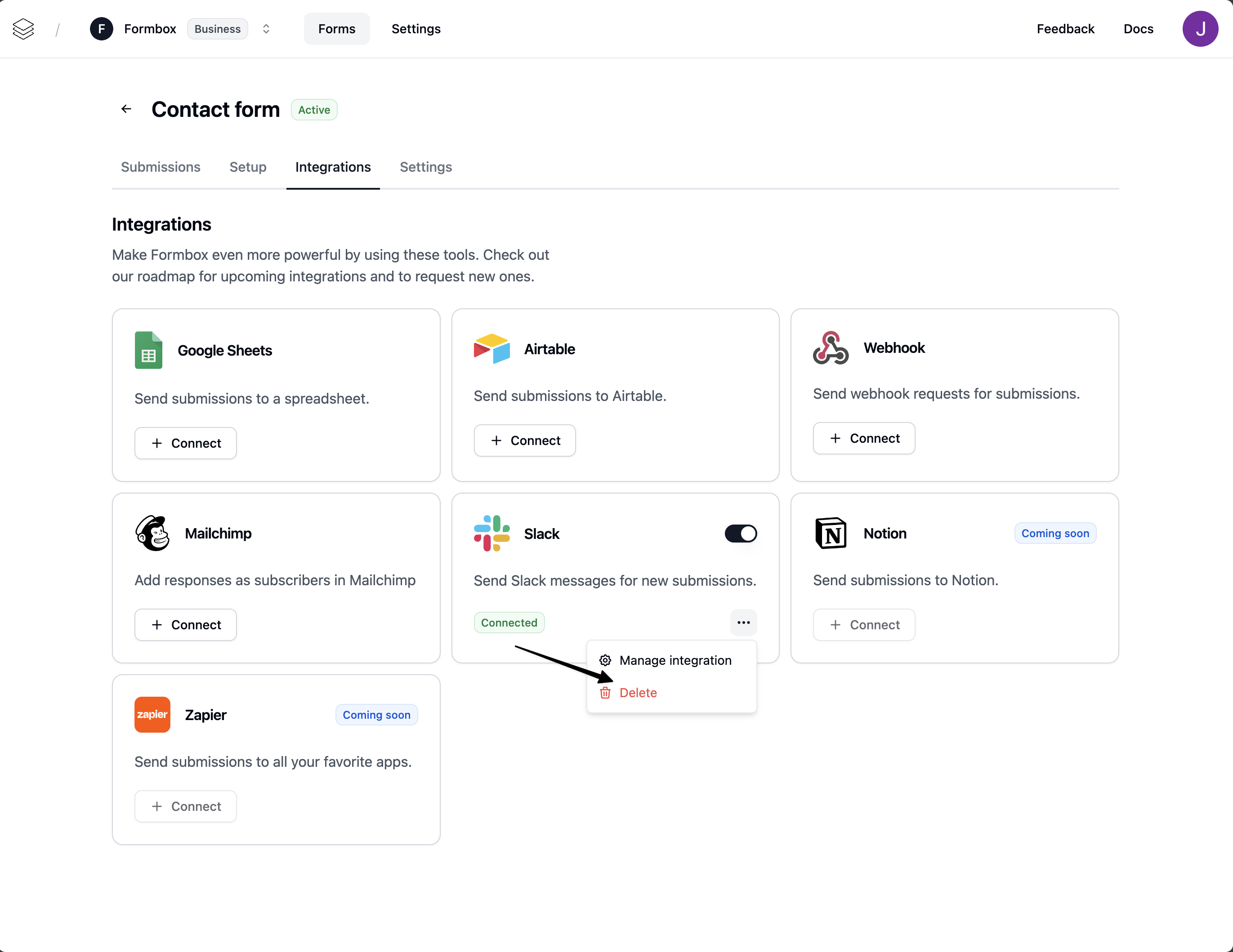
Go to the **Integrations** tab of your Formbox form and click **Connect** on the Slack integration.
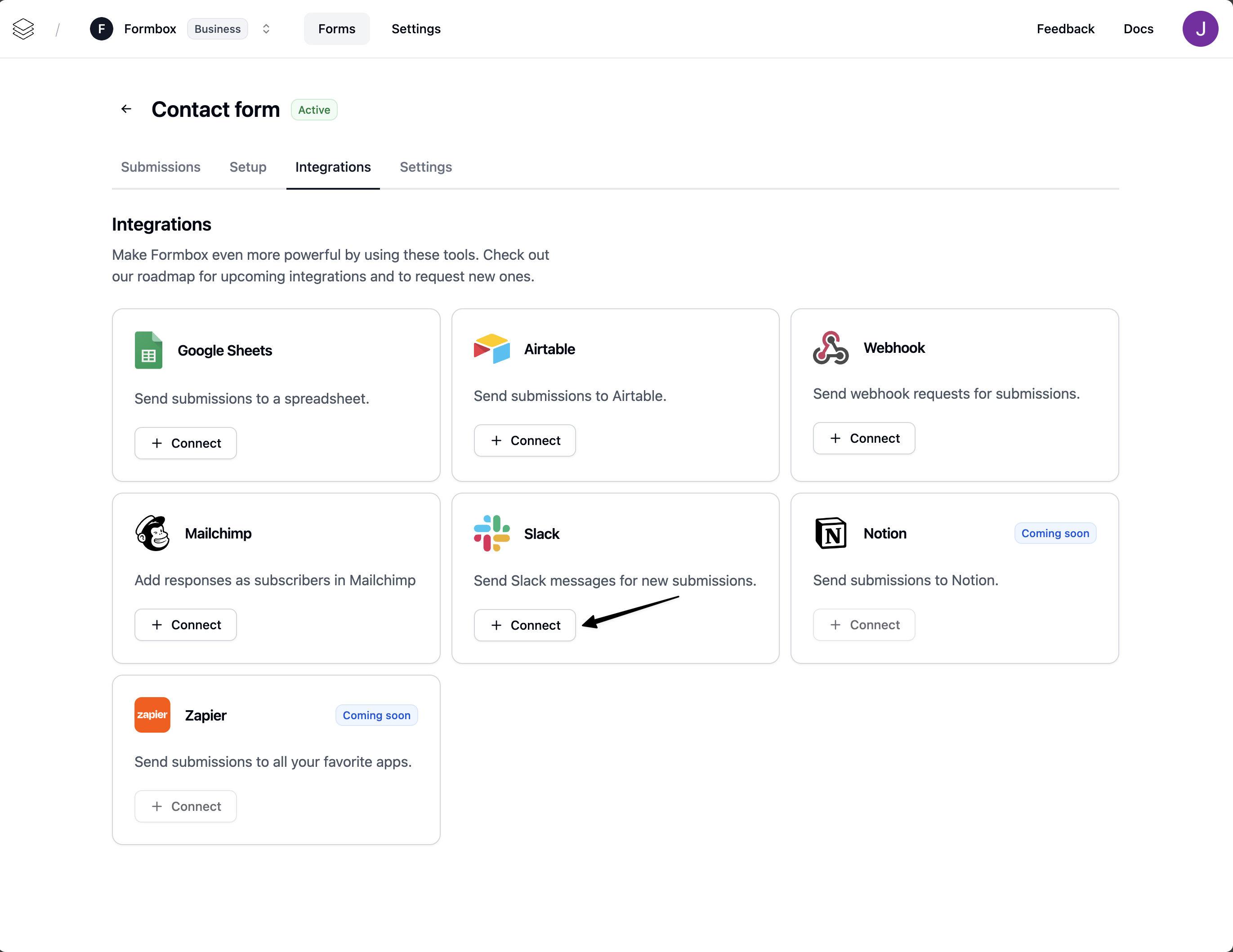 A window will pop up, prompting you to connect your Slack account. Sign in with the account you want to use and allow Formbox to access your Slack channels.
Once the integration is connected, Formbox will ask you what Slack channel you want to sync your form submissions to.
A window will pop up, prompting you to connect your Slack account. Sign in with the account you want to use and allow Formbox to access your Slack channels.
Once the integration is connected, Formbox will ask you what Slack channel you want to sync your form submissions to.
 ## Customizing the integration
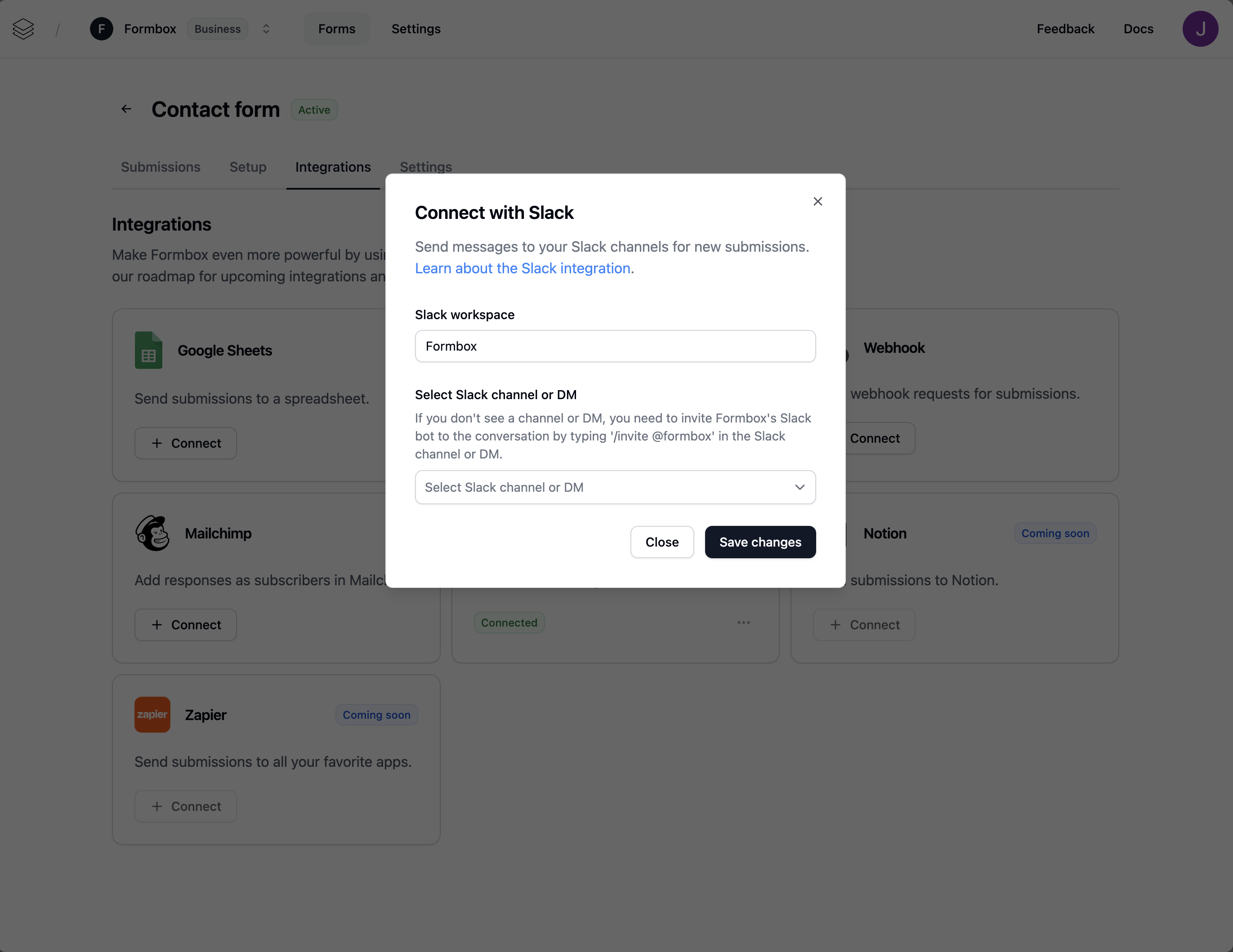
You can customize the Mailchimp integration by clicking on the **Manage integration** option in the dropdown menu.
## Customizing the integration
You can customize the Mailchimp integration by clicking on the **Manage integration** option in the dropdown menu.
 Here you can change the Slack channel where the form submissions are added to, by updating the **Select Slack channel or DM** field.
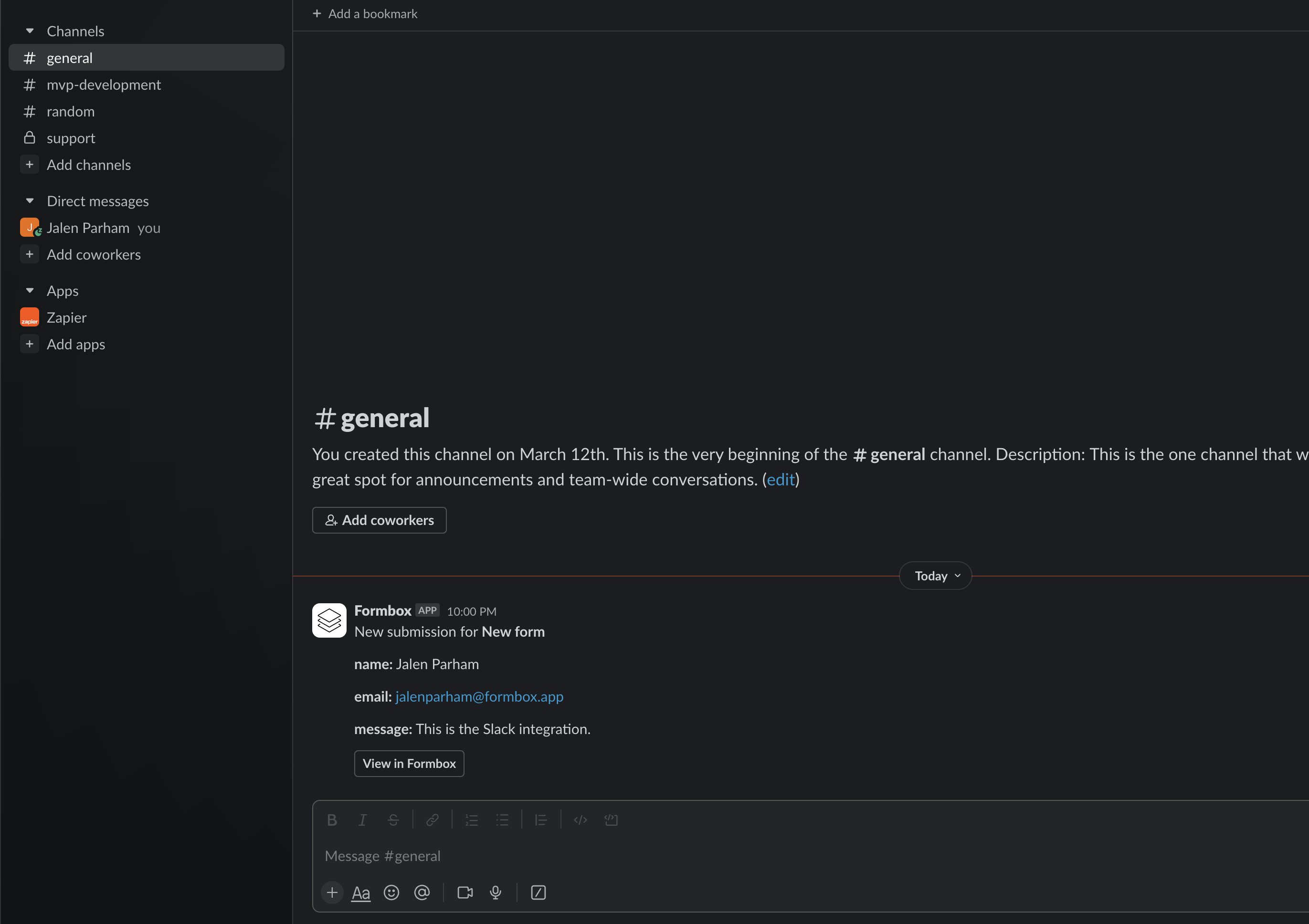
Example Slack message from Formbox:
Here you can change the Slack channel where the form submissions are added to, by updating the **Select Slack channel or DM** field.
Example Slack message from Formbox:
 ### How to add Formbox to your private Slack channel
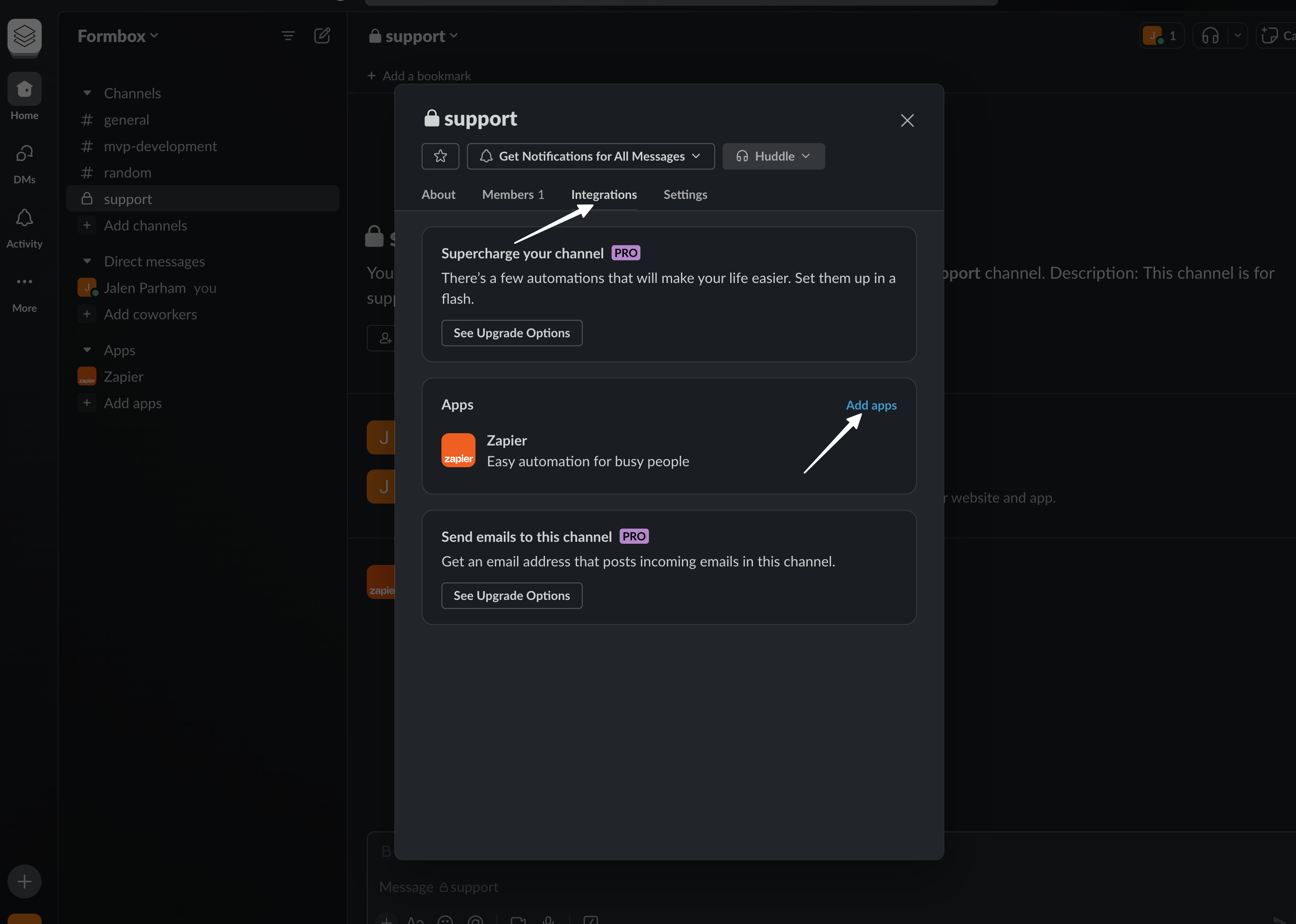
* Open your private channel in the Slack app
* Click the channel name in the conversation header
* Select the **Integrations** tab and click on **Add apps**
### How to add Formbox to your private Slack channel
* Open your private channel in the Slack app
* Click the channel name in the conversation header
* Select the **Integrations** tab and click on **Add apps**
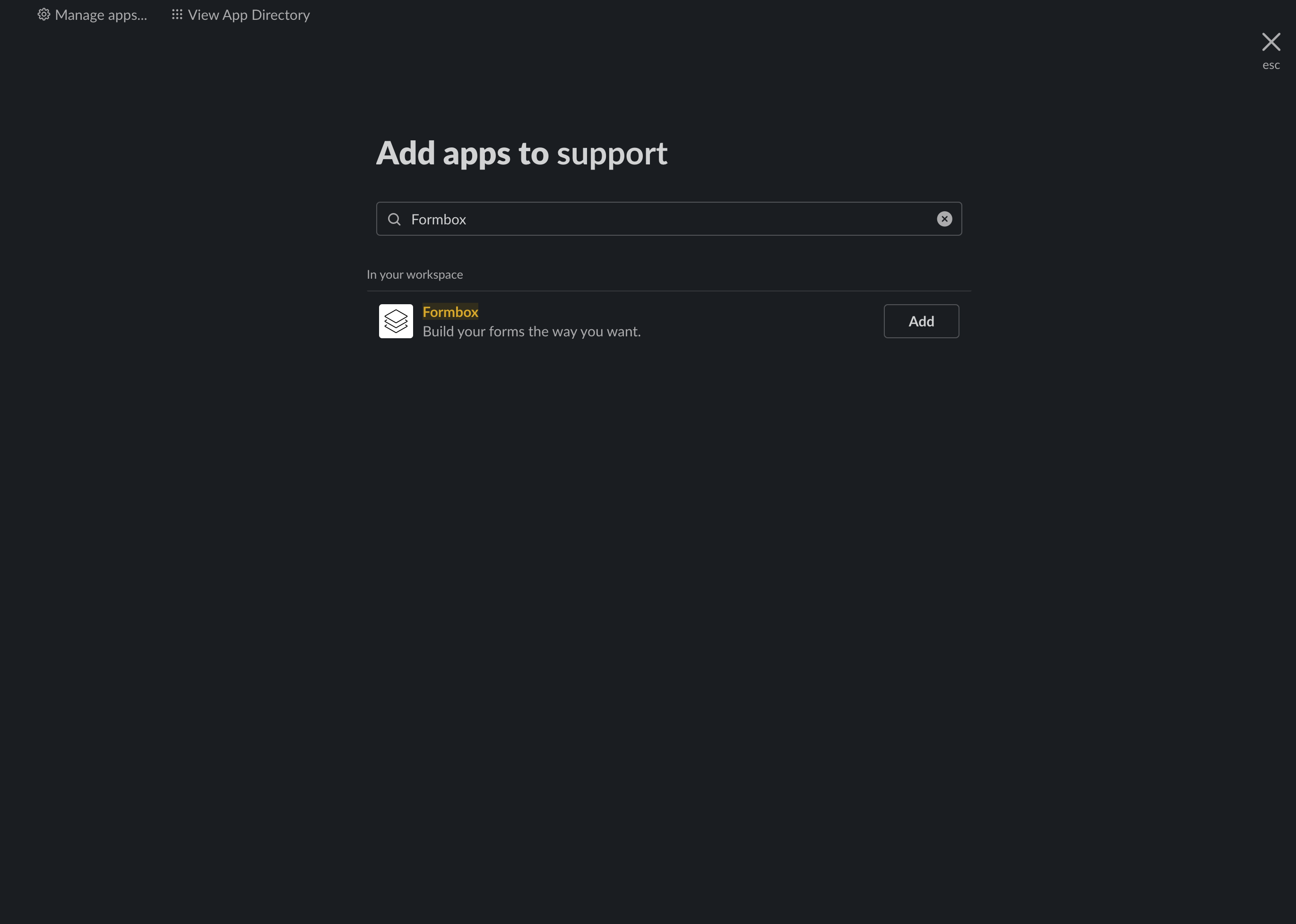
 * Search for Formbox and click **Add**.
 * Now you can select the private channel in the **Select Slack channel or DM** field in the Formbox Slack integration settings.
If you don't see a channel or DM, you need to invite Formbox's Slack bot to the conversation by
typing **/invite @formbox** in the Slack channel or DM.
## Deleting the integration
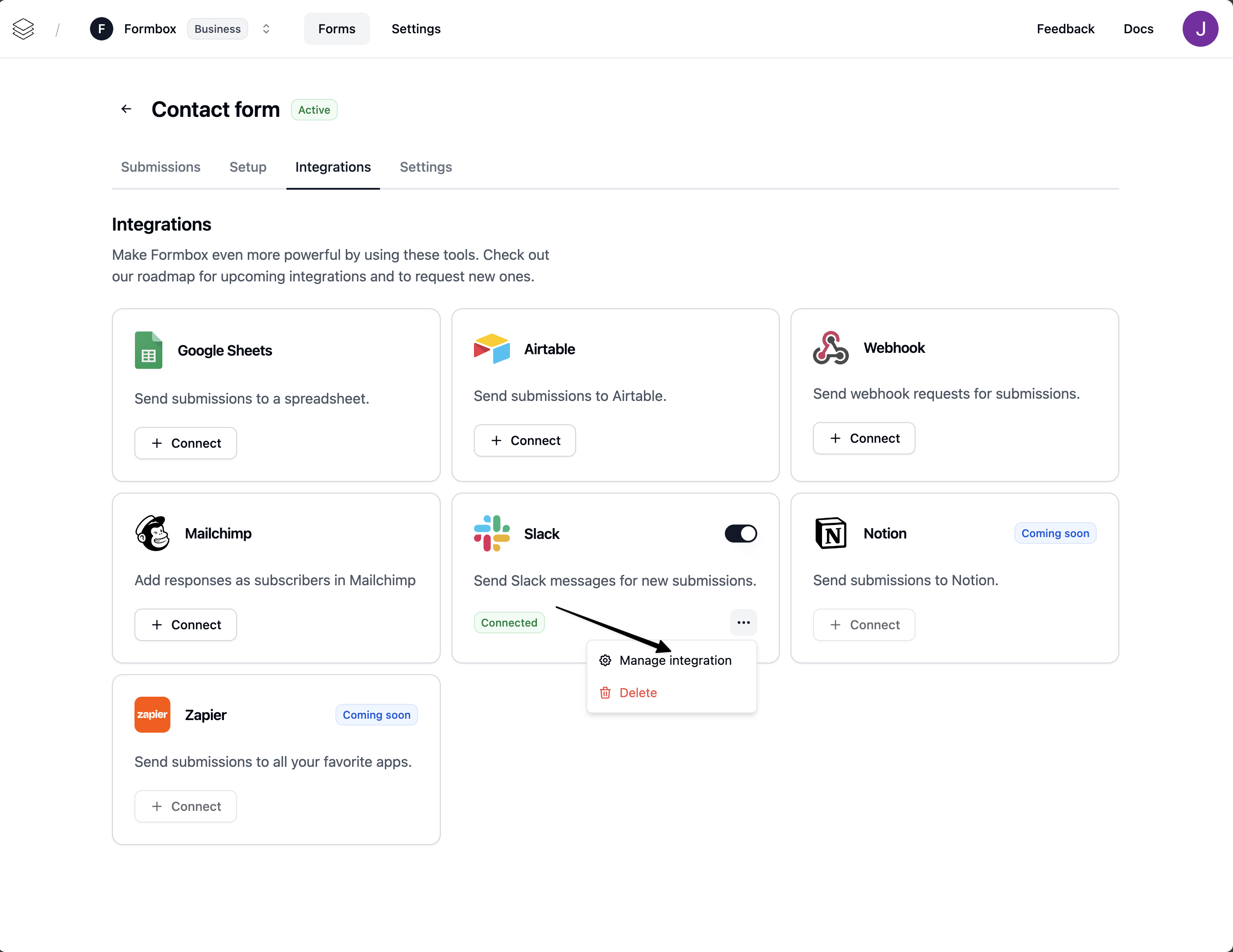
If you no longer want your integration to send messages to your Slack channels, click the **Delete** option in the dropdown menu. Removing the integration means that Formbox will not send messages to any of your Slack channels for any future form submissions.
* Now you can select the private channel in the **Select Slack channel or DM** field in the Formbox Slack integration settings.
If you don't see a channel or DM, you need to invite Formbox's Slack bot to the conversation by
typing **/invite @formbox** in the Slack channel or DM.
## Deleting the integration
If you no longer want your integration to send messages to your Slack channels, click the **Delete** option in the dropdown menu. Removing the integration means that Formbox will not send messages to any of your Slack channels for any future form submissions.