> ## Documentation Index
> Fetch the complete documentation index at: https://docs.formbox.app/llms.txt
> Use this file to discover all available pages before exploring further.
# Airtable
> With the Airtable integration, you can send your Formbox form submissions straight to a an Airtable database.
This is a great way to manage and share your form results with your team and create visual reports of your data.
## How it works
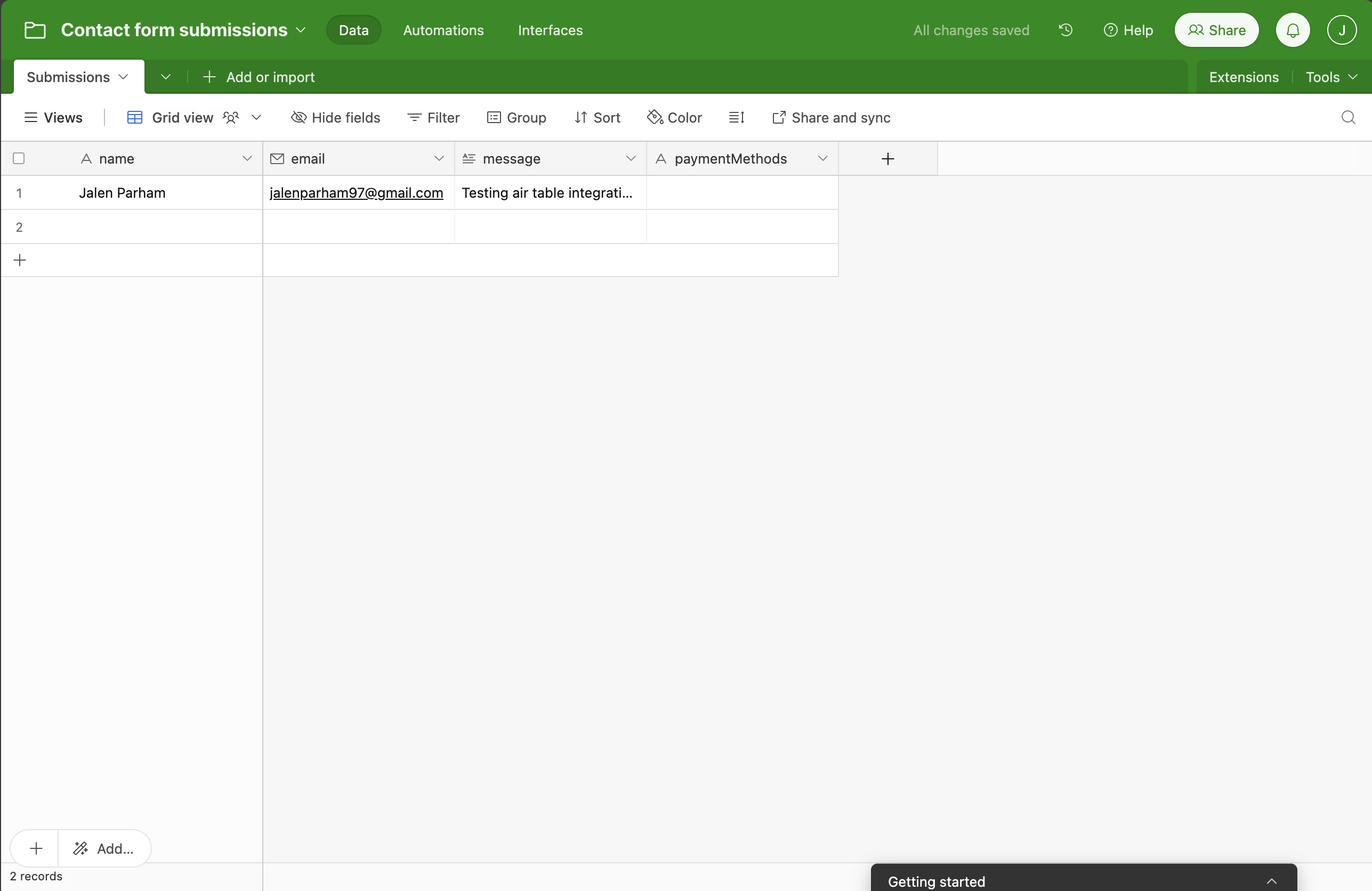
Once the integration is setup, a new row is automatically added to your Airtable database every time someone submits your form. The new submission will automatically be added to the database.
## Setting up the integration
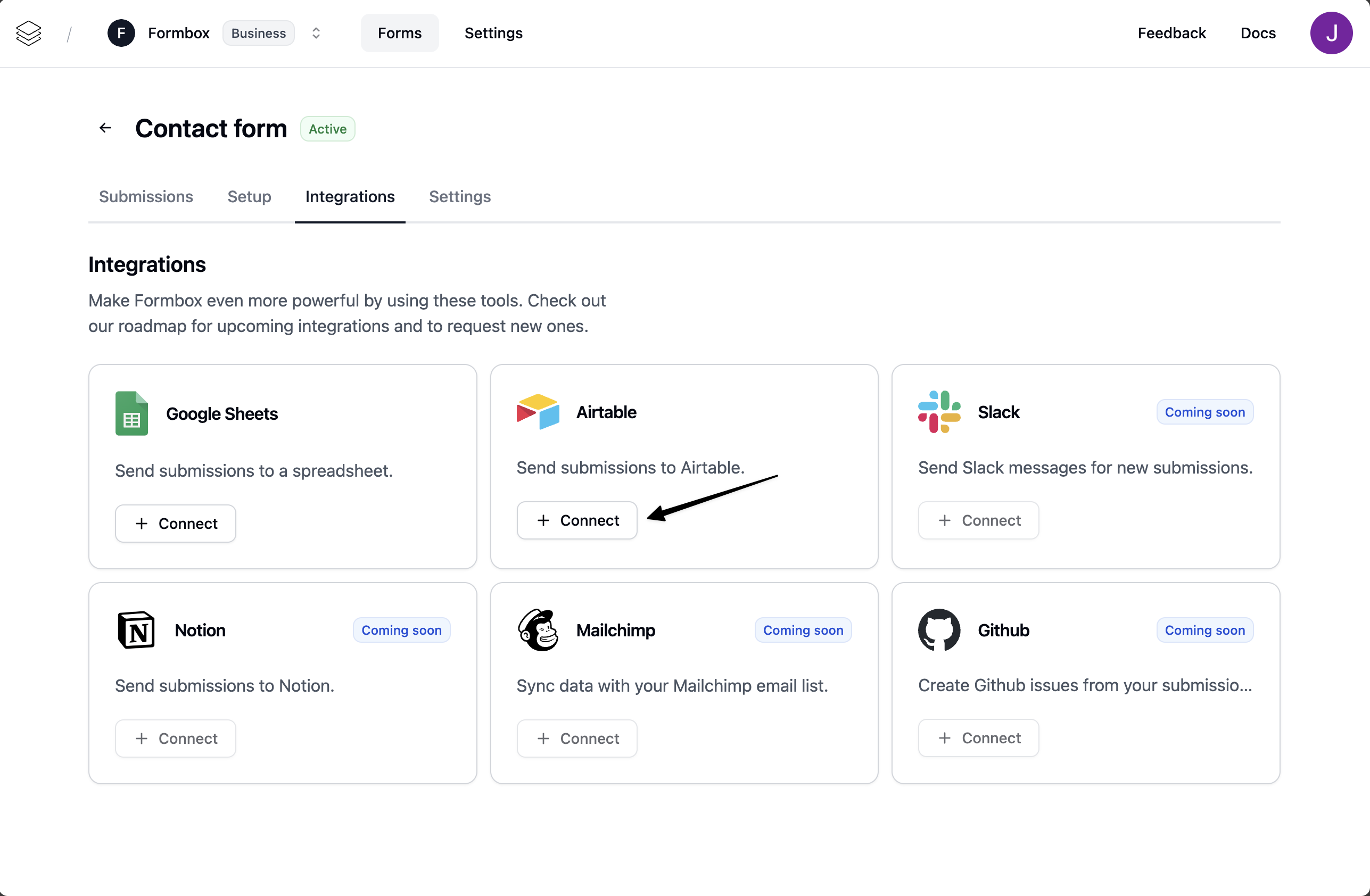
Go to the **Integrations** tab of your Formbox form and click **Connect** on the Airtable integration.
 A window will pop up, prompting you to connect your Airtable account. Select the Airtable account you want to use and allow Formbox to access your Airtable workspaces.
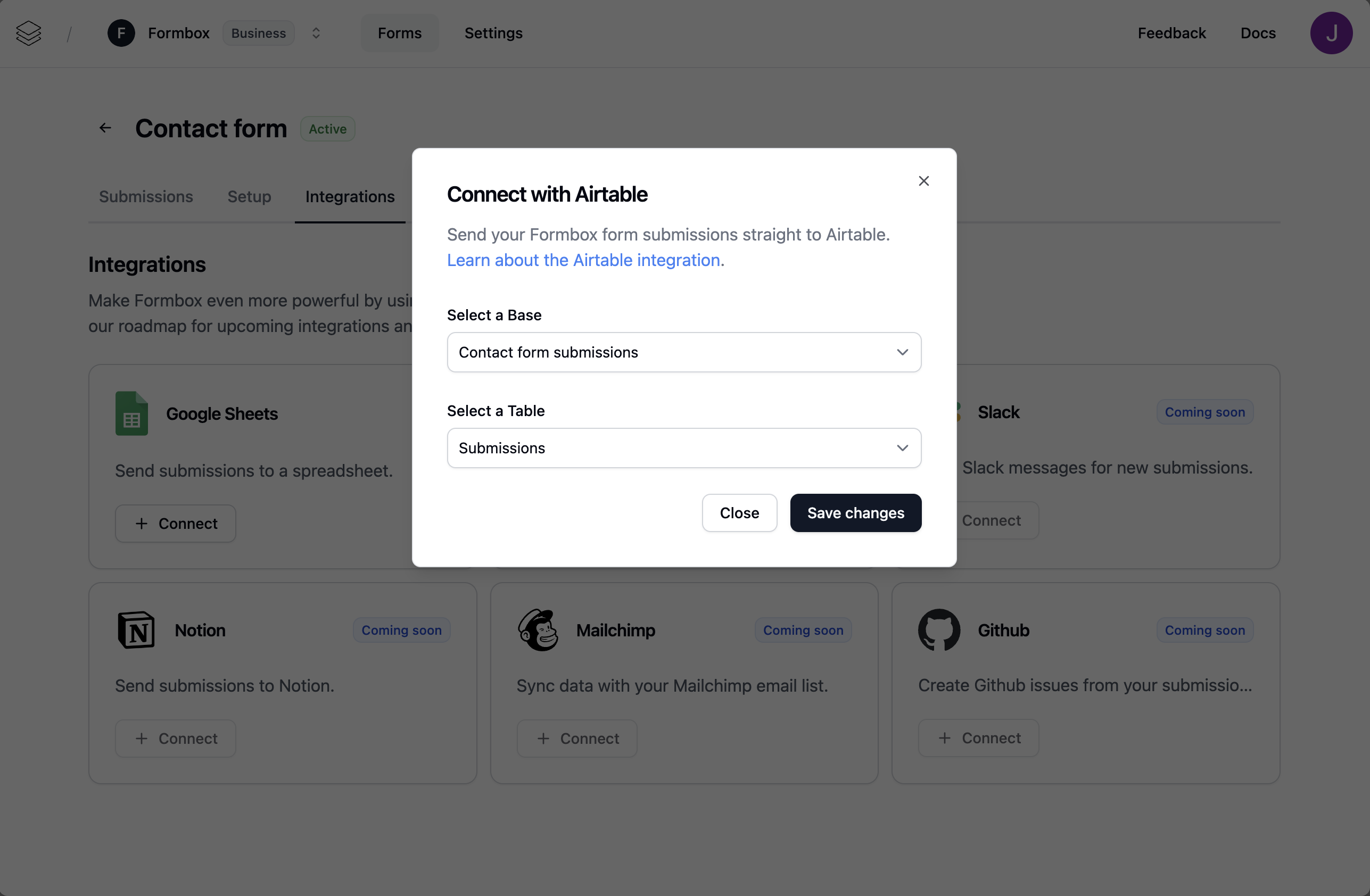
Once the integration is connected, Formbox will ask you what Airtable base and table you want to send your form submissions to.
A window will pop up, prompting you to connect your Airtable account. Select the Airtable account you want to use and allow Formbox to access your Airtable workspaces.
Once the integration is connected, Formbox will ask you what Airtable base and table you want to send your form submissions to.
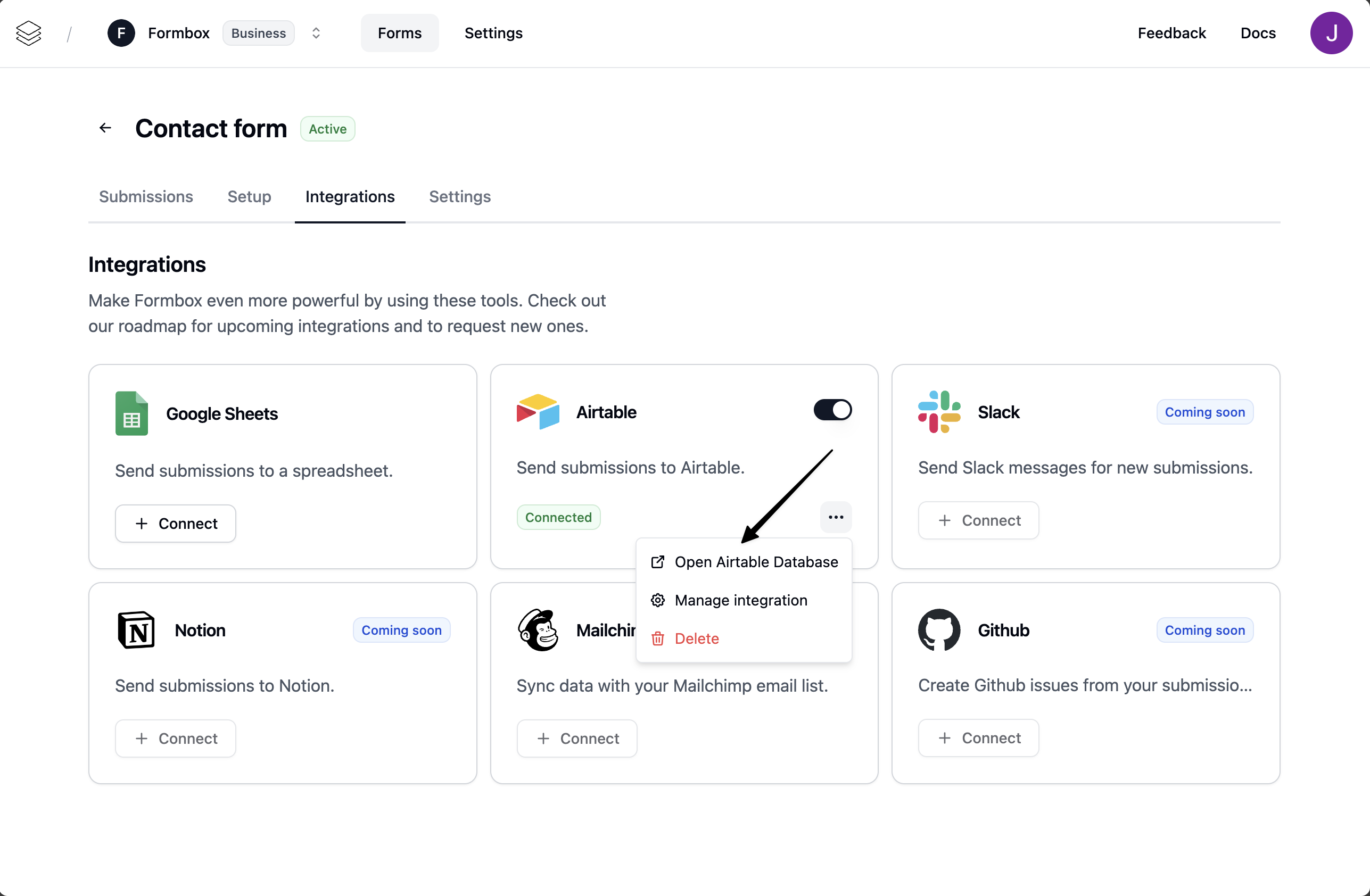
 You can access the Airtable base by clicking on the **Open Airtable Database** button in the dropdown menu.
 You can rename the Airtable Database if you want without affecting the integration.
 ## Customizing the integration
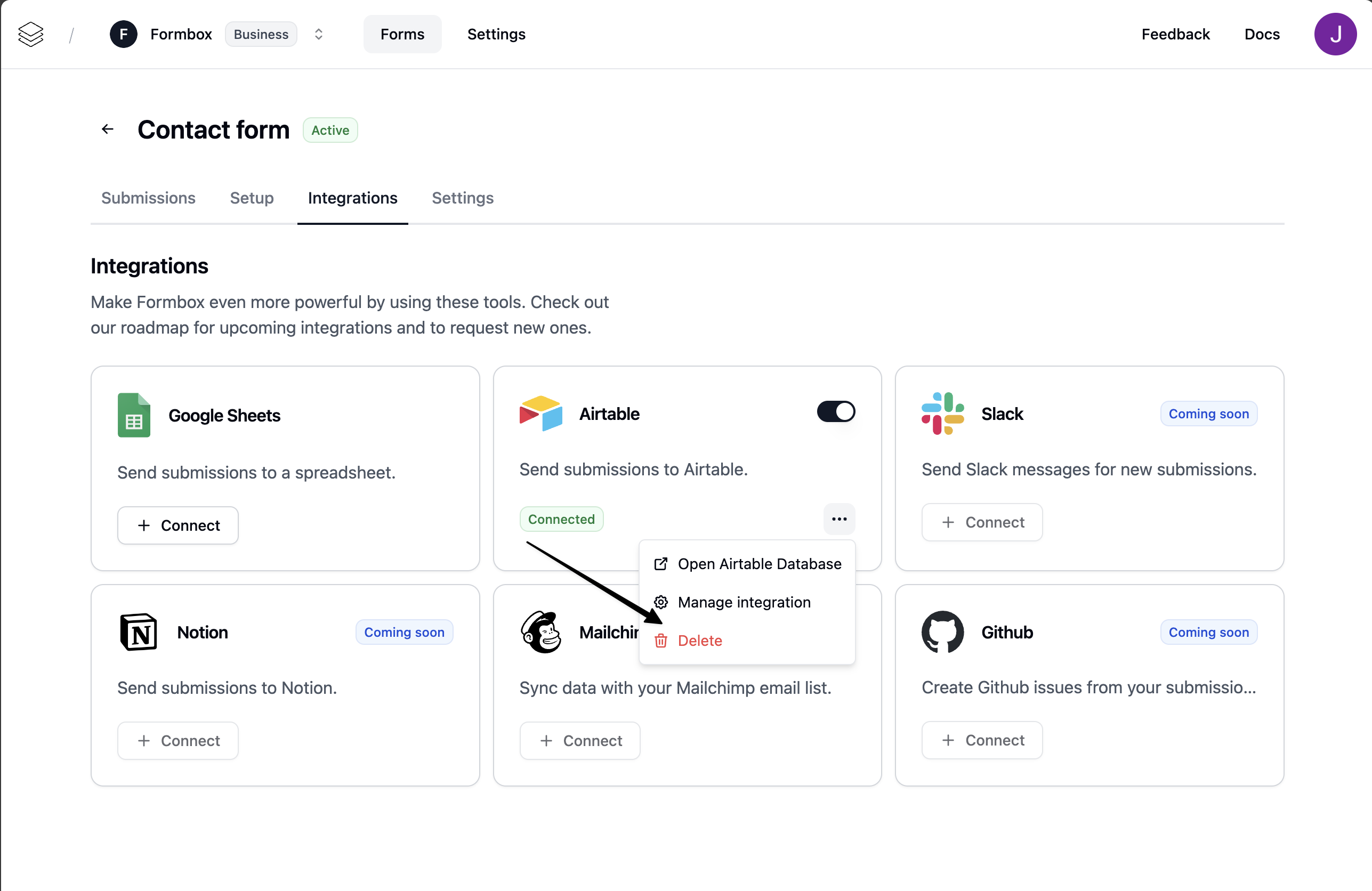
You can customize the Google Sheets integration by clicking on the **Manage integration** option in the dropdown menu.
## Customizing the integration
You can customize the Google Sheets integration by clicking on the **Manage integration** option in the dropdown menu.
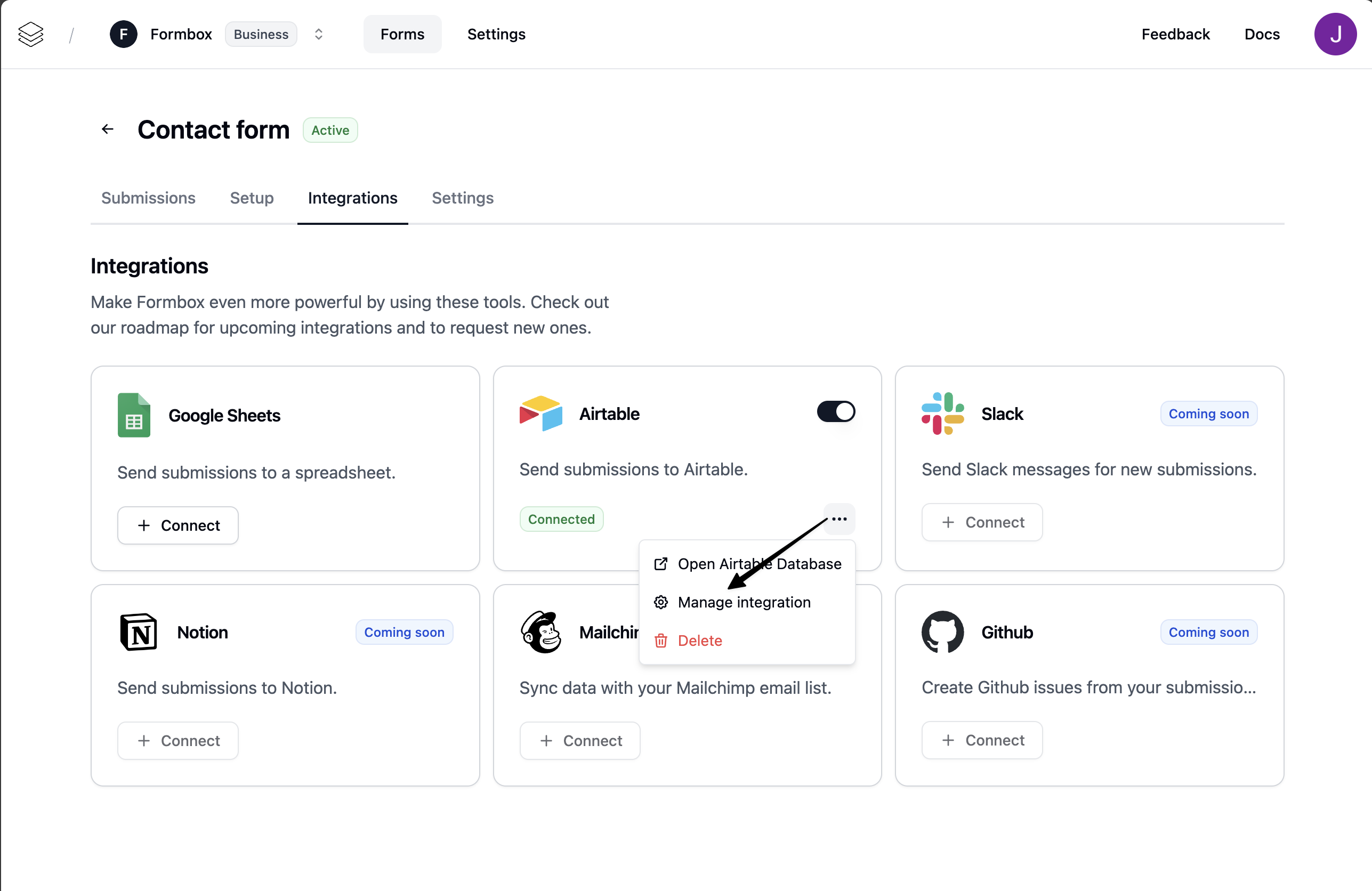 Here you can change the Airtable database where the form submissions are sent to, by updating the **Base** and **Table** fields.
## Deleting the integration
If you no longer want your integration to send form submissions to your spreadsheet, click the **Delete** option in the dropdown menu. Removing the integration won’t delete the Google Sheet document itself, but any future form submissions will stop being added to that spreadsheet.
Here you can change the Airtable database where the form submissions are sent to, by updating the **Base** and **Table** fields.
## Deleting the integration
If you no longer want your integration to send form submissions to your spreadsheet, click the **Delete** option in the dropdown menu. Removing the integration won’t delete the Google Sheet document itself, but any future form submissions will stop being added to that spreadsheet.