> ## Documentation Index
> Fetch the complete documentation index at: https://docs.formbox.app/llms.txt
> Use this file to discover all available pages before exploring further.
# Password protection
> Require visitors to enter a password before they can view or submit a hosted form.
Password protection is only available on the **Professional** and **Business** plans.
## Protecting a hosted form with a password
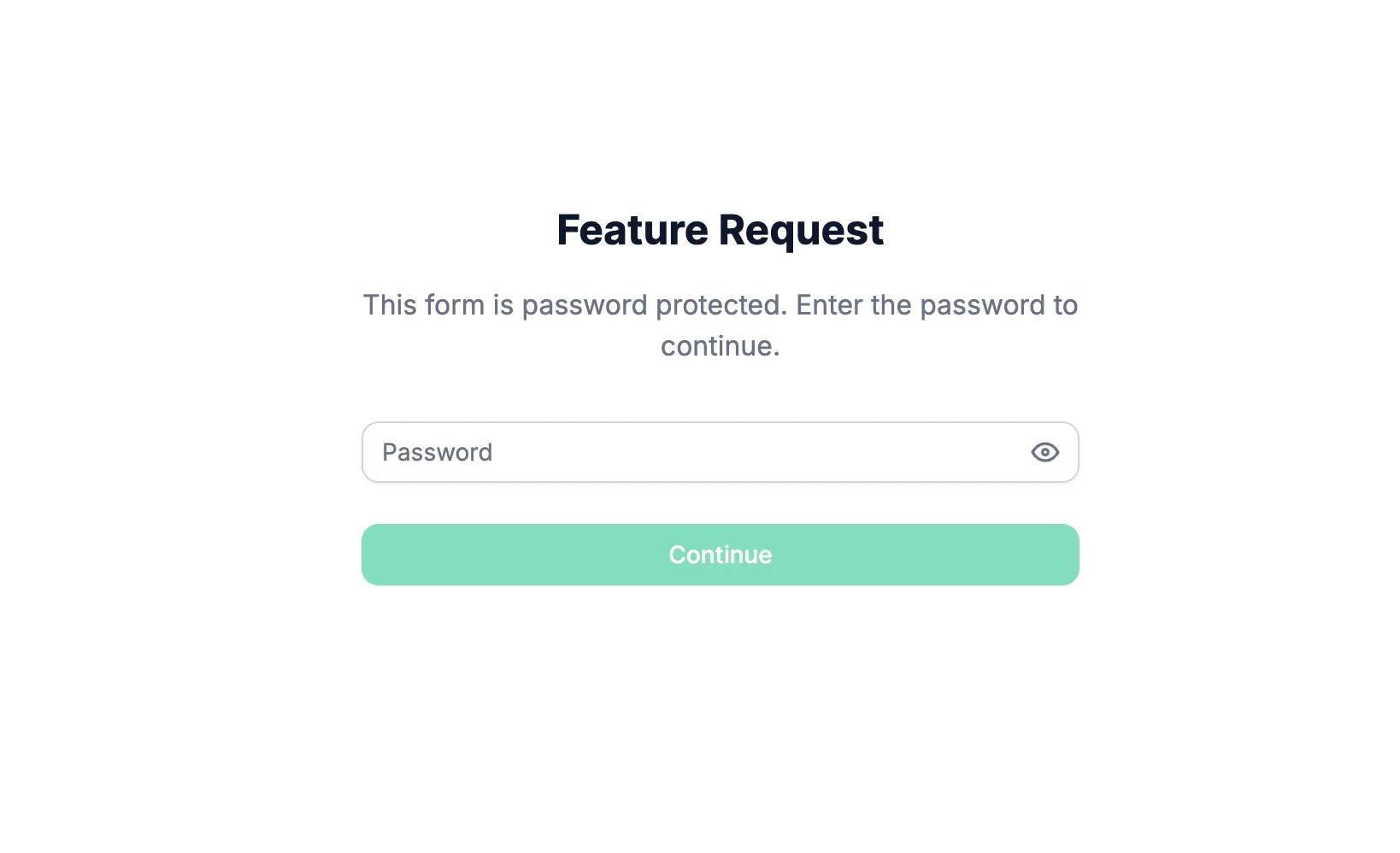
Password protection lets you keep a hosted form private while still sharing the form link with the people who need access. Visitors must enter the password before they can view or submit the form.
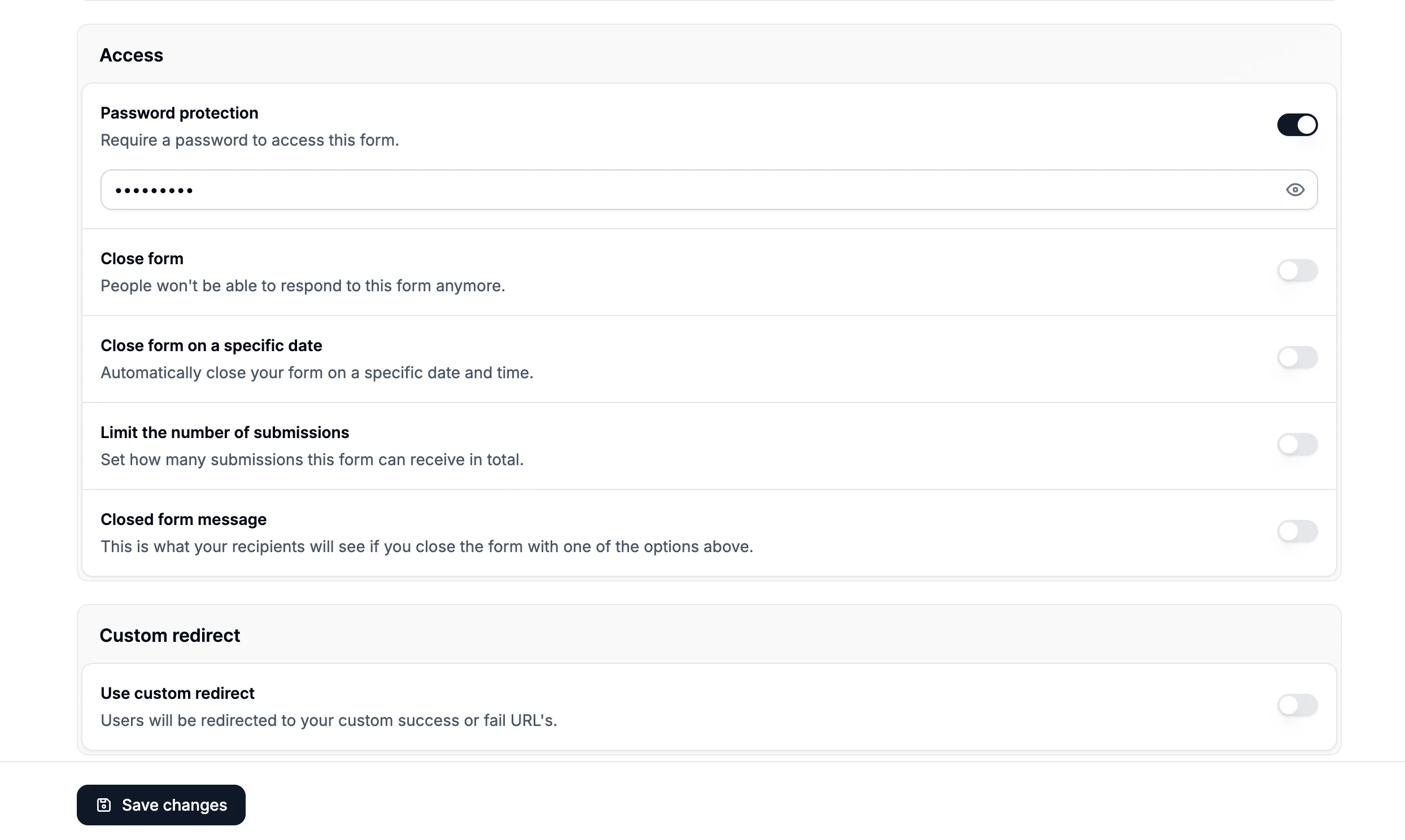
 Go to your form settings and scroll down to the **Access** section. Turn on **Password protection**, enter a password, and click **Save changes**.
 ## Changing the password
To change an existing password, go back to **Access**, click **Change password**, enter the new password, and save your changes.
For security reasons, Formbox does not show saved passwords after they are added or updated. If you forget the password, set a new one and share the new password with your recipients.
Changing the password clears existing saved access. Anyone who previously unlocked the form will
need to enter the new password.
## Removing password protection
To remove password protection, turn off **Password protection** in the **Access** section and save your changes. Once removed, visitors can open the hosted form without entering a password.
## Embedded forms
Password protection also works with embedded hosted forms. If the form is embedded on another site, visitors will see the password screen before the embedded form is displayed.
## Changing the password
To change an existing password, go back to **Access**, click **Change password**, enter the new password, and save your changes.
For security reasons, Formbox does not show saved passwords after they are added or updated. If you forget the password, set a new one and share the new password with your recipients.
Changing the password clears existing saved access. Anyone who previously unlocked the form will
need to enter the new password.
## Removing password protection
To remove password protection, turn off **Password protection** in the **Access** section and save your changes. Once removed, visitors can open the hosted form without entering a password.
## Embedded forms
Password protection also works with embedded hosted forms. If the form is embedded on another site, visitors will see the password screen before the embedded form is displayed.