> ## Documentation Index
> Fetch the complete documentation index at: https://docs.formbox.app/llms.txt
> Use this file to discover all available pages before exploring further.
# Customize thank you page
> Customize the thank you page after successful submissions.
This feature is not available in the **Free** plan.
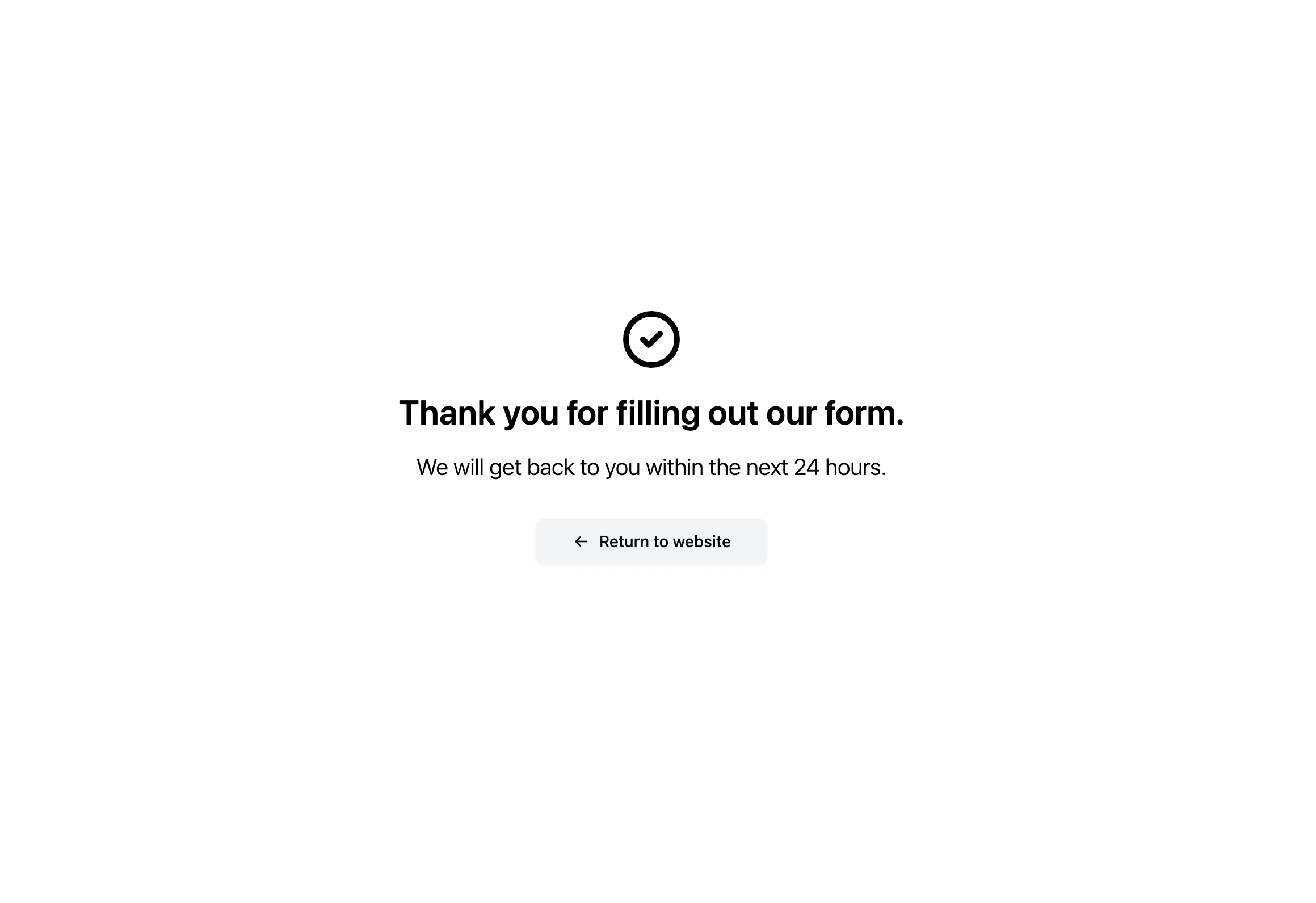
The thank you page is the page that users are redirected to after they successfully submit a form. By default, the thank you page has the Formbox branding. You can customize the thank you page to match your branding.
## Enabling the custom thank you page
1. Go to the form settings of the form you want to edit the thank you page for.
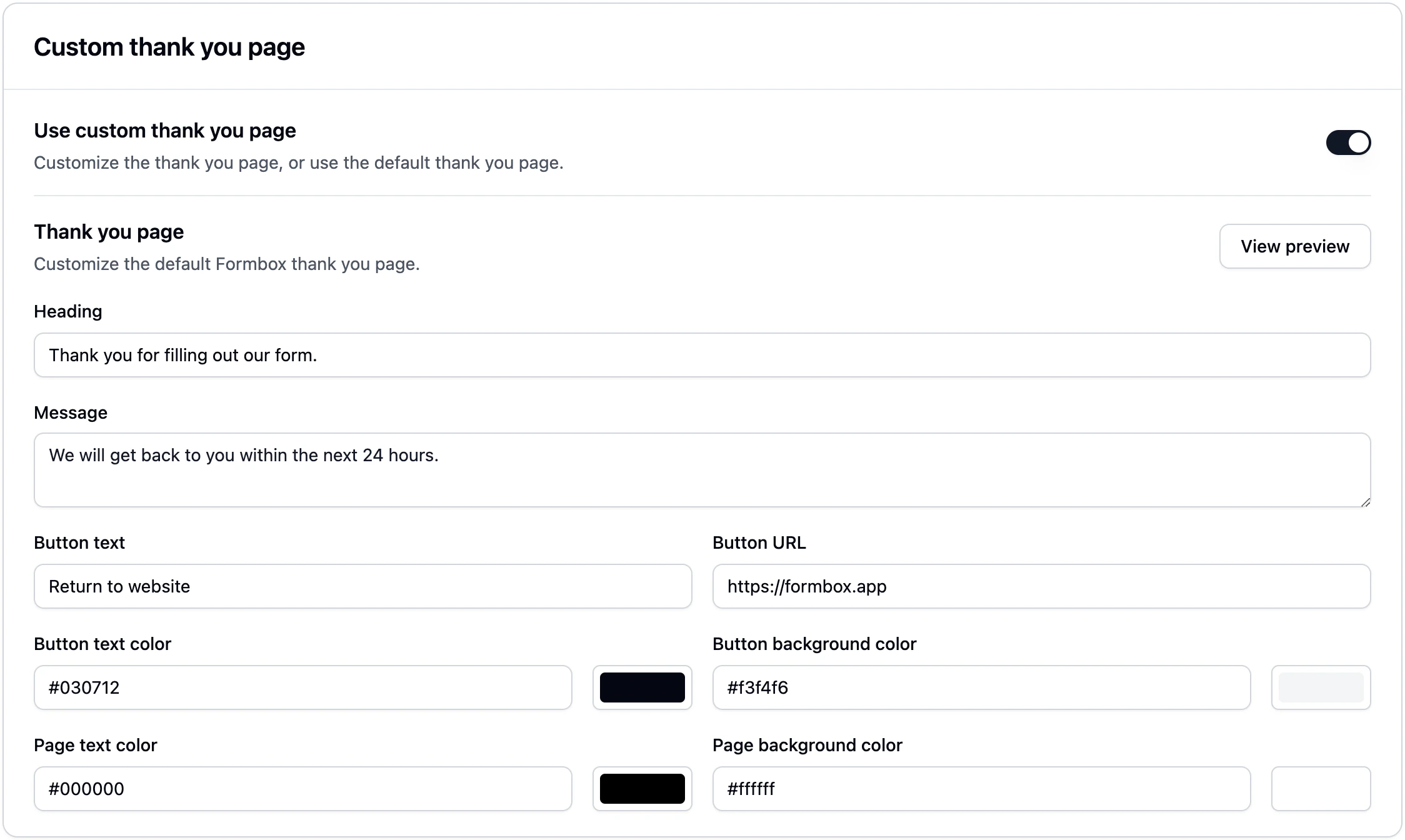
2. Scroll down to the **Custom thank you page** section.
3. Switch the toggle to enable the custom thank you page.
4. Fill out the inputs for the thank you page with the content you want to display.