> ## Documentation Index
> Fetch the complete documentation index at: https://docs.formbox.app/llms.txt
> Use this file to discover all available pages before exploring further.
# API Keys
> Learn how to get your Formbox API key.
API keys on Formbox allow other apps to access your organization programmatically. This is useful for integrating Formbox with other tools and services.
Each API key is tied to a specific organization - meaning you can use it to access that organization's resources without having to worry about "leaking" access to other organizations. You also dont need to pass your organization ID in your API requests.
Formbox API keys are prefixed with `fbsk_` for easy identification.
## API key permissions
You can create 2 types of API keys on Formbox:
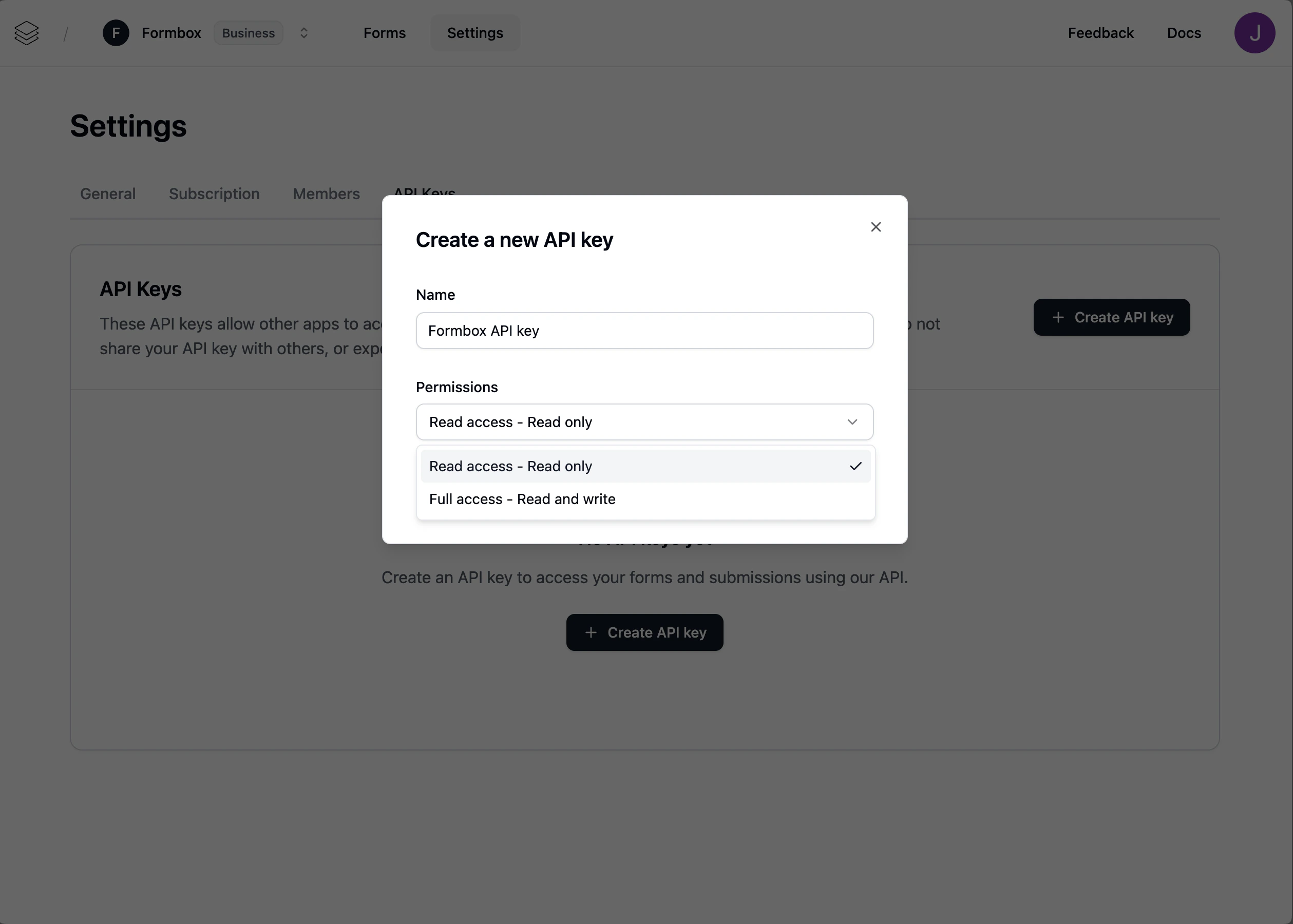
1. **Full access** - This API key will have full access to all resources.
2. **Read only** - This API key will have read-only access to all resources.
Depending on your use case, you might want to use one of these 2 options to limit the scope of the API key and improve security.
## How to create an API key
You can create an API key by following these steps:
Go to **Settings** > **API Keys** in your organization.
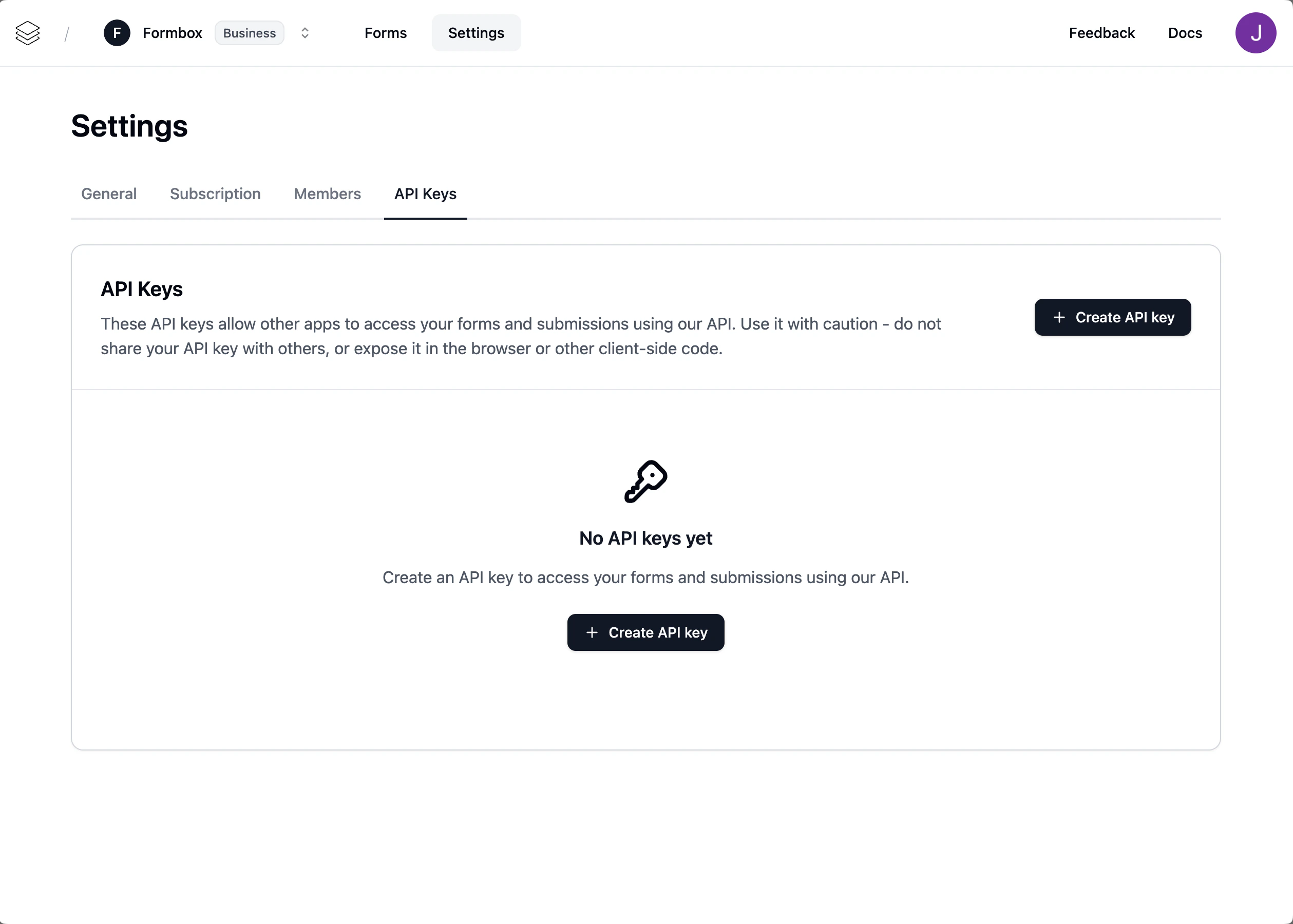 Click on the "Create" button, name your API key, and select permissions you want to grant to the API key.
 When making API calls, if your API key has insufficient permissions, the error should tell you which permissions you need.
The UI allows you to copy your API key and store it in a safe place. If you lose your API key or it becomes compromised, you can regenerate a new one.
Now that you have your API key, you can use it to access your organzations's resources programmatically via any API request as a header token.
```
api-key: fbsk_xxxxxxxx
```
We recommend creating API keys with the least privilege necessary to perform the required tasks.
This helps to reduce the risk of unauthorized access to your organization.
When making API calls, if your API key has insufficient permissions, the error should tell you which permissions you need.
The UI allows you to copy your API key and store it in a safe place. If you lose your API key or it becomes compromised, you can regenerate a new one.
Now that you have your API key, you can use it to access your organzations's resources programmatically via any API request as a header token.
```
api-key: fbsk_xxxxxxxx
```
We recommend creating API keys with the least privilege necessary to perform the required tasks.
This helps to reduce the risk of unauthorized access to your organization.